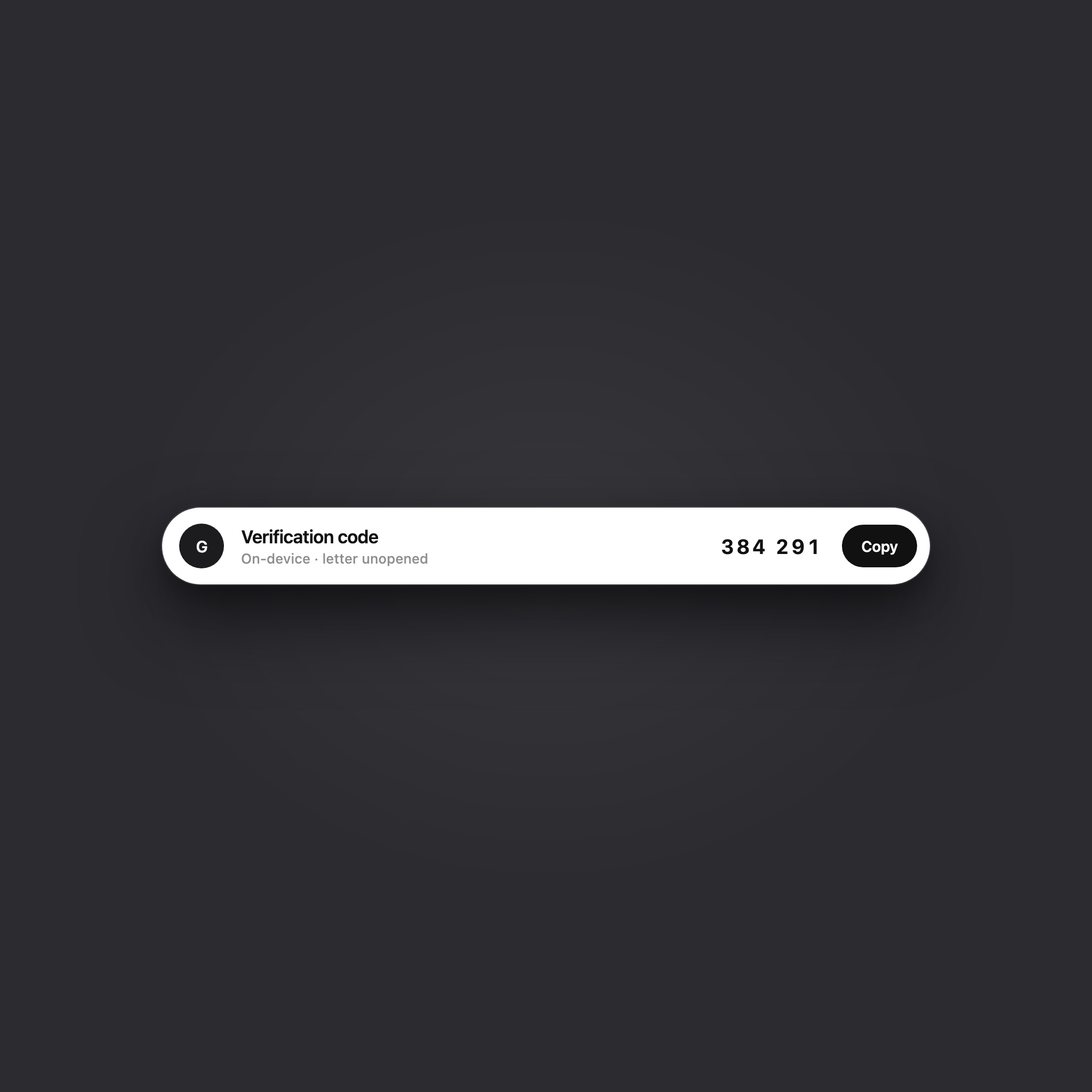
Inboxes collect verification codes and sign-in confirmations all day long. The real friction lies in the workflow: switching to your mail app, finding the new message, opening it, locating the code or link, copying it, and switching back. Before you even use the code, you’ve already wasted time on a context-switching round trip.
Orvia’s Smart Insights already recognizes verification codes and sign-in links in the detail pane. But previously, you still had to open the message to use them. Our top-level shortcut—working title Insight Island—surfaces locally verified results directly at the top of the main window: act first, and read the message only if you need to.
Before
- Switch to the mail app
- Find the fresh message
- Open it
- Hunt the code in the body
- Copy
- Return to the original app
Insight Island
- A short capsule appears at the top
- Copy, or confirm then Open
- Continue what you were doing
This design uses a compact capsule with a high-contrast primary action and a close button. After a successful copy, it dismisses in about 1.4 seconds (the demo stays on the page).
The demo uses a compact capsule: the sender on the left, the code or subject in the middle, and a primary action with a close button on the right. Codes are styled in a monospaced font. For the link scenario, the first click previews the demo and the second click confirms the preview (this page never opens an external site).
Why We Built It
Verification codes and sign-in links are usually relevant for only a few minutes. The traditional email workflow assumes you must read before you act. When a message is unread and within its freshness window, Insight Island surfaces high-confidence, low-ambiguity security actions straight to the top of your window.
- Copy a newly arrived verification code without opening the message.
- Open a sign-in link only after passing local safety checks and a second confirmation click.
- Stay compact by default; secondary details like "View mail" and "On-device recognition" expand on hover in the full desktop app.
V1 keeps a tight scope: no auto-copying, no auto-opening, and no automatic sign-in. Orders, shipping updates, and promo codes stay off the island. Only verification codes and locally verified sign-in links are eligible.
How It Works
It is built as a SwiftUI overlay within the main window—not a macOS system Dynamic Island, not a menu bar item, and not a floating panel. If Orvia isn't running, nothing appears.
This architecture reuses existing core infrastructure: sync tracks newly arrived messages; Smart Insights outputs structured security actions; and the main window already handles temporary overlays and command palettes. V1 simply connects newly arrived mail to locally verified actions via the top capsule, without introducing duplicate recognizers or separate security policies.
What Makes It onto the Island
- Fresh and unread: Only newly inserted unread messages within a ~20-minute window (allowing for slight clock skew).
- Candidate limit: Evaluates at most 8 messages per batch. If a body isn't cached yet, Orvia fetches the body for at most 1 high-probability candidate based on subject line/preview.
- Action priority: Verification codes take priority over links. If a message contains both, V1 displays only the code to avoid UI clutter.
- Security-first links: Incomplete proof, domain mismatch, or failed link safety checks mean no top-level "Open" action is presented.
- Local first: Recognition relies entirely on on-device rules. V1 does not call AI cloud services for top-bar shortcuts.
Interaction & Lifecycle
The capsule uses an inverted theme for high contrast (dark capsule in Light Mode, light capsule in Dark Mode). Clicking "Copy" copies the code and automatically dismisses the capsule after ~1.4 seconds, whereas opening links requires a second confirmation click to prevent accidental triggers. Expiry, manual dismissal, opening the email, or executing the action ends the capsule session. Version checks and task cancellation prevent stale asynchronous tasks from overwriting newer results.
Scope & Limitations
Insight Island does not replace the full Smart Insights detail view or Safe Reader. Already-read messages, expired items, old codes inside quoted thread text, and passive security alerts without actionable codes/links will stay off the island. Triggering actions when Orvia is hidden in the background would require system-level notifications or menu-bar integrations, which are outside V1's scope.
See Insights on our homepage and our Privacy Policy. A companion article covers how AI stays privacy-bound.